Key-Value-Observing on MonoTouch and MonoMac

This morning Andres came by IRC asking questions about Key Value Observing, and I could not point him to a blog post that would discuss the details on how to use this on C#.

Apple's Key-Value Observing document contains the basics on how to observe changes in properties done to objects.

To implement Key-Value-Observing using MonoTouch or MonoMac all you have to do is pick the object that you want to observe properties on, and invoke the "AddObserver" method.

This method takes a couple of parameters: an object that will be notified of the changes, the key-path to the property that you want to observe, the observing options and a context object (optional).

For example, to observe changes to the "bounds" property on a UIView, you can use this code:

view.AddObserver (
	observer: this, 
	keyPath:  new NSString ("bounds"), 
	options:  NSKeyValueObservingOptions.New, 
	context:  IntPtr.Zero);

In this example, I am using the C# syntax that uses the Objective-C style to highlight what we are doing, but you could just have written this as:

view.AddObserver (
	this, new NSString ("bounds"),
	NSKeyValueObservingOptions.New, IntPtr.Zero);

What the above code does is to add an observer on the "view" object, and instructs it to notify this object when the "bounds" property changes.

To receive notifications, you need to override the ObserveValue method in your class:

public override
void ObserveValue (NSString keyPath, NSObject ofObject,
			NSDictionary change, IntPtr context)
{
    var str = String.Format (
	"The {0} property on {1}, the change is: {2}",
        keyPath, ofObject, change.Description);

    label.Text = str;
    label.Frame = ComputeLabelRect ();
}

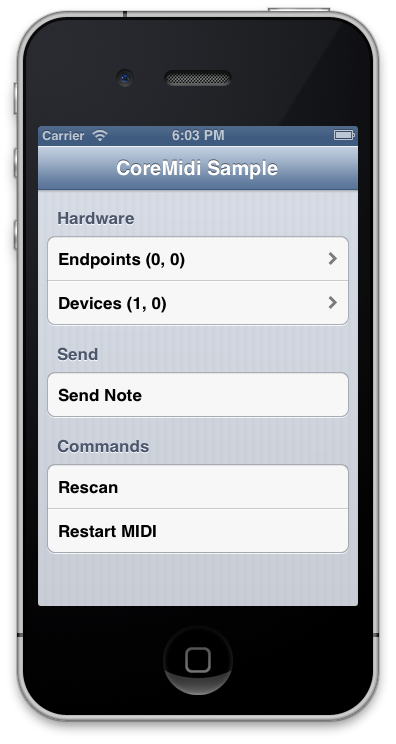
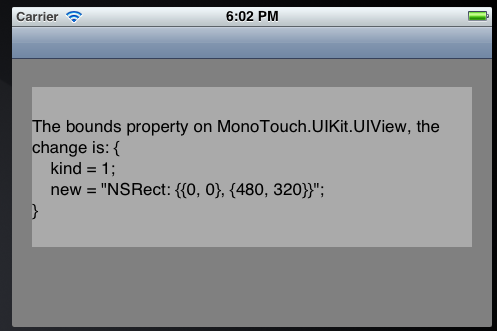
This is what the app shows if you rotate your phone:

The complete sample has been uploaded to GitHub.

Posted on 19 Apr 2012 by Miguel de Icaza

Call for Comments: Strongly Typed Notifications

I am adding support for strongly typed notifications to MonoTouch and MonoMac. The idea behind this is to take guesswork, trips to the documentation and trial and error from using notifications on iOS and MacOS.

The process is usually: (a) find the right notification; (b) look up apple docs to see when the notification is posted; (c) look up each of the keys used to retrieve the data from the dictionary.

Currently, listening to a notification for a keyboard-will-be-shown notification looks like this in MonoTouch:

void DoSomething (
	UIViewAnimationCurve curve,
	double               duration,
	RectangleF           frame)
{
	// do something with the above
}

var center = NSNotificationCenter.DefaultCenter;
center.AddObserver (UIKeyboard.WillShowNotification, PlaceKeyboard);

[...]

void PlaceKeyboard (NSNotification notification)
{
    // Get the dictionary with the interesting values:
    var dict = notification.UserInfo;

    // Extract the individual values
    var animationCurve = (UIViewAnimationCurve)
	(dict [UIKeyboard.AnimationCurveUserInfoKey] as NSNumber).Int32Value;
    double duration =
	(dict [UIKeyboard.AnimationDurationUserInfoKey] as NSNumber).DoubleValue;
    RectangleF endFrame =
	(dict [UIKeyboard.FrameEndUserInfoKey] as NSValue).RectangleFValue;

    DoSomething (animationCurve, duration, endFrame)
}

Currently we map the Objective-C constant "FooClassNameNotification" into the C# class "Foo" as the member "NameNotification" of type NSString.

What we want to do is to expose the notifications as strongly typed C# events. This will provide auto-complete support in the IDE to produce the lambdas or helper methods, auto-complete for all the possible properties of the notification, strong types for the data provided and live documentation for the values in the notification.

This means that the above code would instead be written like this:

var center = NSNotificationCenter.DefaultCenter;
center.Keyboard.WillShowNotification += PlaceKeyboard;

void PlaceKeyboard (object sender, KeyboardShownEventArgs args)
{
    DoSomething (args.AnimationCurve, args.Duration, args.EndFrame);
}

The question is where should these notifications be exposed in the API? In the example above we do this by the event "WillShowNotification" on a class "Keyboard" inside the "NSNotificationCenter". We have a few options for this.

We could host the notification in the class that defines the notification, but we would have to come up with a naming scheme to avoid the name clash with the existing NSString constant:

class UIKeyboard {
    public NSString WillShowNotification { get; }

    // replace "Notification" with the class name:
    public event EventHandler WillShowKeyboard;

    // prefix the event:
    public event EventHandler KeyboardWillShow;

    // plain, does not work on all types though:
    public event EventHandler WillShow;
}

// Consumer code would be one of:

UIKeyboard.WillShowKeyboard += handler;
UIKeyboard.KeyboardWillShow += handler;
UIKeyboard.WillShow += handler;

Another option is to add everything into NSNotificationCenter:

class NSNotificationCenter {
	// Existing implementation

    public event EventHandler UIKeyboardWillShow;

    // Another 141 events are inserted here.
}

// Consumer code would be:

NSNotificationCenter.DefaultCenter.UIKeyboardWillShow += handler;

Another option is to partition the notifications based on their natural host, this is my personal favorite, but could be harder to find with the IDE using code completion:

class NSNotificationCenter {
    public static class Keyboard {
        public static event EventHandler WillShow;
    }
}

// Consumer code would be:
NSNotificationCenter.Keyboard.WillShow += handler;

All of these proposals have one potential problem: they would all assume that all of these interesting notifications are always posted into the NSNotificationCenter.DefaultCenter.

Apple's documentation does not seem to suggest that any of the iOS notifications are posted anywhere but the DefaultCenter. I could not find on GitHub any code that would use anything but the DefaultCenter.

On MacOS the InstantMessage framework posts notifications to its own notification center. We could just bind those events to this specific NSNotificationCenter.

Thoughts?

Posted on 12 Apr 2012 by Miguel de Icaza

MonoMac Updates

We have been hard at work at improving the MonoMac API to allow .NET developers to create native Mac applications using C#, F#, IronPython or their favorite .NET language.

There are couple of goodies coming on our next release of MonoMac: our Lion support is shapping up and we have been dogfooding this ourselves with our own apps.

One of our sample apps, a simple front-end to the Mono Documentation backend is now complete enough that we are going to deprecate the Gtk+ version of it and replace it with the native version of it.

MacDoc now has several new features

Apple documentation integration: MacDoc will now download the Apple docs if they are not available and blend its contents with our documentation and replace the Objective-C samples with C# samples. Amazing!

Full text indexing: the documentation browser is using Lucene to index all of the contents and allow you to quickly find the materials that you are looking for.

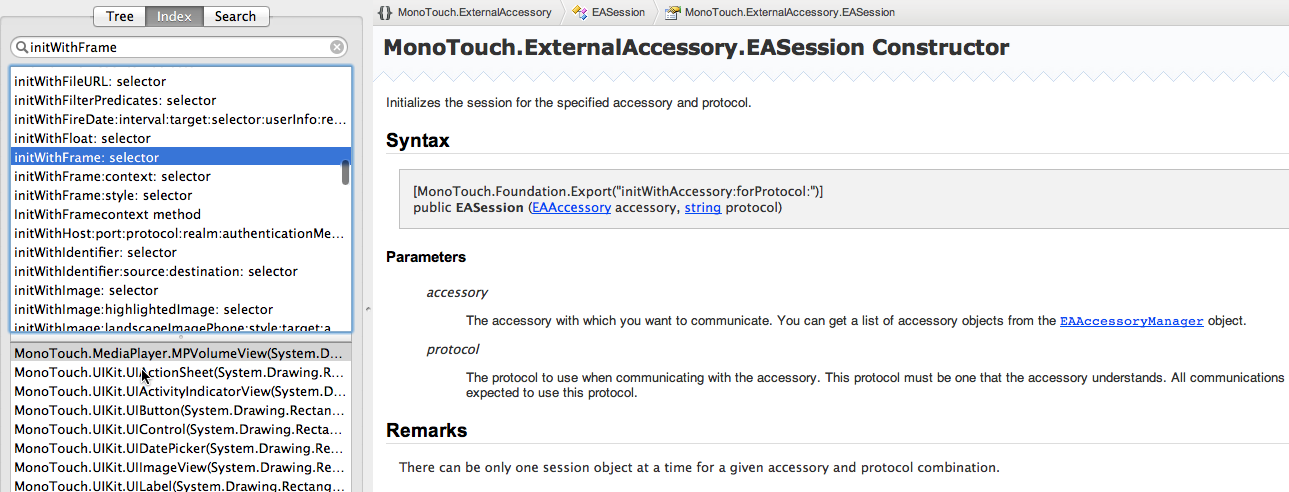
Conceptual Index: in addition to the full text search, we generate a curated version of the APIs that are useful for performing search-as-you-type in the documentation browser. This is useful to find APIs by class, by method name and also by Objective-C selector. This means that you can now search for Objetive-C selectors in our documentation, and you will get the actual mapping to the C# method.

Supports Lion documents, saved state and bookmarks.

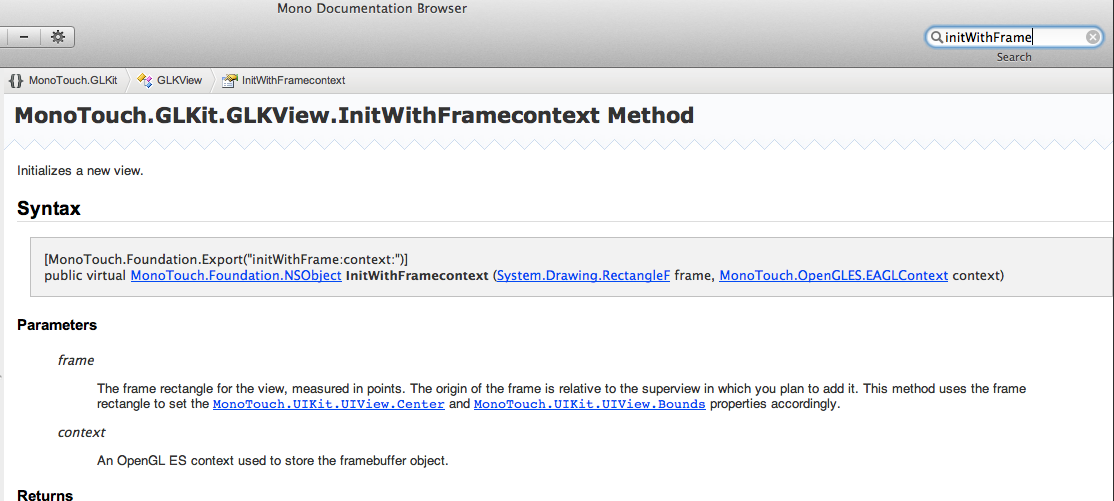
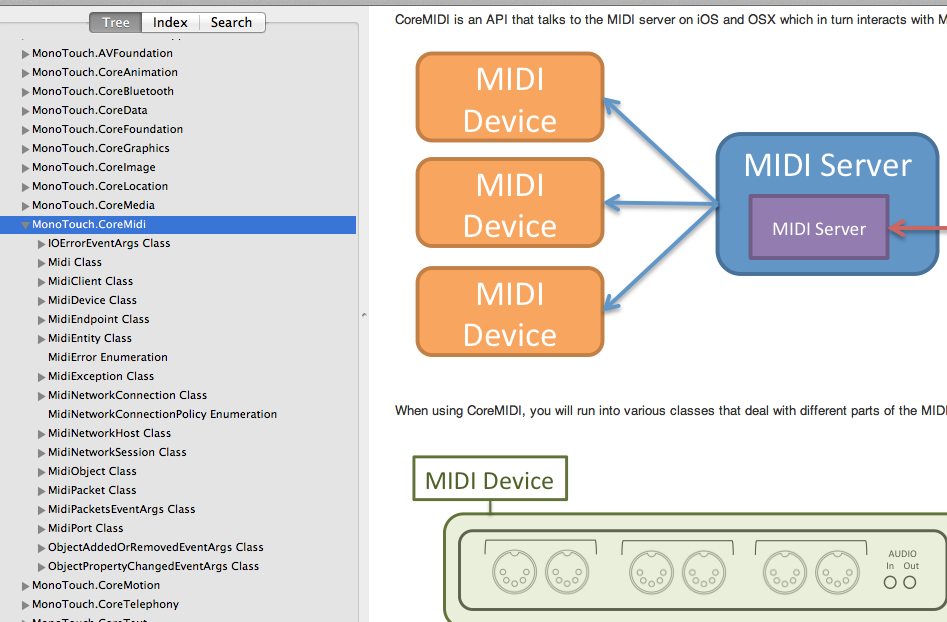
We extended the ECMA XML format so it now renders images for our docs:

The source code is available now in GitHub and will be shipping in the upcoming MonoDevelop 2.8.8 release.

Posted on 06 Mar 2012 by Miguel de Icaza

Bubbles

Recently one of our customers asked about how to implement a conversation display similar to the iOS SMS/Messages display. You can find the BubbleCell sample in our Github repository.

This is what the conversation looks like:

To implement this, I used iOS's UITableView as it already provides a lot of the functionality that we need for this. What I did was to write a custom UITableViewCell that can render bubbles with their text.

I wrote both a MonoTouch.Dialog Element that you can host in your DialogViewController as well as a custom UITableCellView which can be reused by those using UITableViews directly.

This is how you could populate the initial discussion inside MonoTouch.Dialog:

Section chat;
var root = new RootElement ("Chat Sample") {
  (chat = new Section () {
    new ChatBubble (true, "This is the text on the left, what I find fascinating about this is how many lines can fit!"),
    new ChatBubble (false, "This is some text on the right"),
    new ChatBubble (true, "Wow, you are very intense!"),
    new ChatBubble (false, "oops"),
    new ChatBubble (true, "yes"),
  })
};

And this is how you would add a new element to the conversation:

chat.Section.Add (
  new ChatBubble (false, "I want more cat facts"));

Implementation

Bubble rendering is implemented in Bubble.cs and contains both the UITableViewCell as well as the element. It follows the pattern for creating UITableViewCells that I documented before.

Each cell is made up of two views: one contains a UIImageView that paints the bubble and the other one contains the text to render inside the bubble.

This is what the two bubbles images look like:

We load these using UIImage.FromFile and then use the iOS 5.0 UIImage.CreateResizableImage method to create a UIImage that can be stretched on demand. To create the resizable image we need to tell CreateResizableImage the region of the image that can be stretched. Anything outside of the UIEdgeInset will be kept as-is:

left = bleft.CreateResizableImage (new UIEdgeInsets (10, 16, 18, 26));
right = bright.CreateResizableImage (new UIEdgeInsets (11, 11, 17, 18));

This will stretch the region highlighted in red, while rendering the external border as-is:

With the above code, the image will be rendered in a variety ways depending on the Frame that is assigned to the UIImageView that hosts our resizable UIImage:

The only remaining interesting bit in the code is to configure our UILabel properly. We want to set its BackgroundColor to UIColor.Clear to avoid painting the background in a solid color and we also specify that the text should be word-wrapped if it does not fit in a single line:

label = new UILabel (rect) {
  LineBreakMode = UILineBreakMode.WordWrap,
  Lines = 0,
  Font = font,
  BackgroundColor = UIColor.Clear
};
	

Finally in our LayoutSubViews method we must compute the proper sizes for the bubbles and the text that goes in them. I made it so the bubbles did not take the entire space in a row. Instead they take 70% of the row to give a similar effect to the rendering of the iOS messages UI. The code is pretty straight-forward:

public override void LayoutSubviews ()
{
  base.LayoutSubviews ();
  var frame = ContentView.Frame;
  var size = GetSizeForText (this, label.Text) + BubblePadding;
  imageView.Frame = new RectangleF (new PointF (isLeft ? 10 : frame.Width-size.Width-10, frame.Y), size);
  view.SetNeedsDisplay ();
  frame = imageView.Frame;
  label.Frame = new RectangleF (new PointF (frame.X + (isLeft ? 12 : 8), frame.Y + 6), size-BubblePadding);
}
	
Posted on 30 Jan 2012 by Miguel de Icaza

Styling your controls in MonoTouch on iOS 5

Starting with iOS 5 it is possible to more easily style your UIViews. Apple did this by exposing a new set of properties on most views that can be tuned. For example, to configure the TintColor of a UISlider, you would write:


var mySlider = new UISlider (rect);
mySlider.ThumbTintColor = UIColor.Red;

You can also set the color globally for all instances of UISlider, you do this by assigning the styling attributes on the special property "Appearance" from the class you want to style.

The following example shows how to set the Tint color for all UISliders:


	UISlider.Appearance.ThumbTintColor = UIColor.Red;

It is of course possible to set this on a per-view way,

The first time that you access the "Appearance" static property on a stylable class a UIAppearance proxy will be created to host the style changes that you have requested and will apply to your views.

In Objective-C the Appearance property is untyped. With MonoTouch we took a different approach, we created a strongly typed UIXxxxAppearance class for each class that supports styling. Our generated UIXxxxxAppearance class is strongly typed, which allows users to use intellisense to easily discover which properties are avaialble for styling.

We also created a hierarchy that reflects the inherited appearance properties, this is the class hierarchy for the UISLider.UISliderAppearance class:

The properties exposed by UISlider for example are:

public class UISliderAppearance {
	public virtual UIColor BackgroundColor {
		get;
		set;
	}
	public virtual UIColor MaximumTrackTintColor {
		get;
		set;
	}
	public virtual UIColor MinimumTrackTintColor {
		get;
		set;
	}
	public virtual UIColor ThumbTintColor {
		get;
		set;
	}
}

MonoTouch also introduced support for styling your controls only when they are hosted in a particular part of the hierarchy. You do this by calling the static method AppearanceWhenContainedIn which takes a variable list of types, it works like this:

var style = UISlider.AppearanceWhenContainedIn (typeof (SalesPane), typeof (ProductDetail));
style.ThumbTintColor = UIColor.Red;

In the above sample the style for the ThumbTintColor will be red, but only for the UISliders contained in ProductDetail view controllers when those view controllers are being hosted by a SalesPane view controller. Other UISliders will not be affected.

Both the Appearance static property and the AppearanceWhenContainedIn static method have been surfaced on every UIView that supports configuring its style. Both of them return strongly typed classes that derive from UIAppearance and expose the exact set of properties that can be set.

This is different from the weakly typed Objective-C API which makes it hard to discover what can be styled.

Posted on 14 Oct 2011 by Miguel de Icaza

MonoTouch 5.0 is out

Yesterday we released MonoTouch 5.0, the companion to Apple's iOS 5.0 release.

Apple tends to ship Objective-C APIs that are configured through an NSDictionary instance containing configuration keys. With MonoTouch 5.0, we continued our work to improve over NSDictionary-based bindings by creating strongly-typed versions of those APIs.

In the next couple of days, I will be sharing some of the new features in iOS 5.0 and how to take advantage of those using C#.

Meanwhile, our documentation team has produced an amazing Introduction to iOS 5.0 for C# developers and put together some samples showing how to use some of the new features in iOS 5:

  • Storyboard: shows how to use Storyboards from C# and showcases the integration between Xcode 4 and MonoDevelop 2.8
  • CoreImage: shows our bubilicious strongly-typed API for CIFilters, it is in my opinion, a huge usability upgrade over the NSDictionary-based approach.
  • iCloud: Basic iCloud use.
  • Twitter: Post new tweets and query twitter for data.
  • Newsstand: A complete sample showing how you can integrate with the new Newsstand APIs to publish your own periodicals. We wont be submitting this sample for the Apple Design Awards, but it shows how to use the framework.
Posted on 13 Oct 2011 by Miguel de Icaza

TestFlight support in MonoDevelop

We have just released for TestFlight support in MonoDevelop.

This makes it simpler for developers to deploy their Ad-Hoc builds directly to Testflight, we added a "Publish to TestFlight" option:

The first time you upload to TestFlight you must provide your authentication tokens:

And after that, the IDE takes care of the rest:

This is built on top of our enhanced IPA Packaging support in the same release.

Posted on 29 Sep 2011 by Miguel de Icaza

Sales Force app built with MonoTouch

I do not blog very often about apps built with MonoTouch, but this application is drop-dead gorgeous.

It is a tool designed to be used by the sales force of a company.

You can download the app from the Apple AppStore and try it on "demo" mode. What I love about this application is how they took advantage of UIKit and CoreAnimation to create a beautiful enterprise app. It does not stop there, they use everything iOS has to offer:

Enterprise software has a reputation for being hostile to end-users. This shows that you can create great end-user software for users in the enterprise. If you were looking for inspiration for your own enterprise apps, this is the app to look for.

Posted on 12 Aug 2011 by Miguel de Icaza

MonoMac add-in for MonoDevelop

After a small hiatus we are back.

If you have been using MonoMac to build MacOS applications, we have just released an update to the MonoDevelop.MonoMac add-in that should fix the problem with packaging your applications on Lion.

This update just contains a critical fix and delivers the add-in to all three MonoDevelop platforms in use today: our stable MonoDevelop 2.4, the 2.6beta3 and for the fearless among you MonoDevelop/master.

This was just the first step in maintaining the add-in. I had to sort out the build setup for all three branches and the pipeline to deliver the updates. Now that I got things in place, I will be able to fix some of the other problems that have been reported.

If you are running into problems with MonoMac, please file your bugs at the new home for the Mono bug reports at http://bugzilla.xamarin.com.

Posted on 03 Aug 2011 by Miguel de Icaza

Glass button for iPhone

Since iOS does not provide a default glossy button implementation I wrote my own, based mostly on looking at a screenshot of Apple's own.

Some folks have been using the UIGlassButton generator, but I have wanted for a while to have this functionality avaialble at runtime, and not depend on pre-generated images, these are created at runtime, and behave just like a regular button:

You can find my implementation as part of MonoTouch.Dialog on github.

This is how you would use it, and how you can customize some of its elements:

	var b = new GlassButton (bounds) {
		Font = UIFont.BoldSystemFontOfSize (22),
		NormalColor = UIColor.Green,
		HighlightedColor = UIColor.Red
	};
	b.SetTitle ("Dismiss", UIControlState.Normal);

	container.AddSubview (b);
	
Posted on 08 Apr 2011 by Miguel de Icaza

MonoTouch 4.0

We just released MonoTouch 4.0, a product to build iOS applications using C# and .NET. We also released our new Mono for Android product.

New in MonoTouch 4.0

MonoTouch 4.0 is a major upgrade to our product as it upgrades the Mono runtime engine from the old, trusted and friendly Mono 2.6 to the latest and greatest Mono 2.10 core, these are some of the new features available as part of this upgrade:

  • Parallel Frameworks for C#: Great APIs for building multi-threaded software. Not only this is great for iPad 2 users and developers, but it also simplifies just plain multi-threaded programming by exposing Futures, Tasks and Parallel LINQ to the developer.
  • LLVM Compiler Support: In addition to the fast Mono compilation engine, MonoTouch can now also use LLVM to create optimized builds. When you build MonoTouch applications using LLVM your executables will run faster, they will be smaller, and you can optionally opt into generating the nimbler ARMv7 or Thumb code (fat binaries are also supported).

    Example: My own TweetStation distribution went from 8 megs to 6 megs using Thumb + ARMv7 support. A very significant gain.

  • C# 4.0 and .NET 4.0: This release comes with the latest incarnation of the C# language as well as exposing the new .NET 4.0 APIs (many new functional constructs make for nicer looking code, like all the IEnumerable enabled-methods in System.IO).

    There is one important limitation: C# 4.0 dynamic support is not functional, since it requires dynamic code generation to work.

  • Upgraded WCF stack: We still consider this a preview of the full WCF but has been expanded significantly.
  • All new iOS 4.3 APIs have been exposed.
  • NSDecimal, NSDecimalNumber are now exposed (mostly for the sake of CorePlot :-)
  • Many new convenience APIs have been introduced.

For a full detailed list of changes, see our MonoTouch 4.0 Release Notes.

Resources

The best source of information on parallel programming with Parallel FX is the free Patterns for Parallel Programming: Understanding and Applying Parallel Patterns with the .NET Framework 4.

This is a brilliant document. Whether you use .NET or not, this is a recommended reading for everyone.

In addition to the Programming iPhone with MonoTouch book there are two new books about to hit the shelves Developing C# Apps for iPhone and iPad using MonoTouch: iOS Apps Development for .NET Developers: an incredibly in-depth book from Brian Costanich that I have had the privilege to read in advance. This book will come out in only 3 weeks.

If you are more of a hands-on kind of guy, later in the year, Mike Bluestein's Learning MonoTouch: A Hands-On Guide to Building iPhone and iPad Applications with C# and .NET is coming out.

Next Steps

We are currently hard at work to add support to MonoDevelop to work with the new XCode 4.

With XCode 4, Apple removed Interface Builder as a standalone tool. We should have a beta in a couple of weeks of the solution we came up with.

Posted on 06 Apr 2011 by Miguel de Icaza

MonoMac 1.0 is out

Almost a year ago we started building a set of Mono bindings for building native MacOS X applications.

Our original goals were modest: bind enough of AppKit that you could build native desktop applications for OSX using C# or your favorite .NET language. We leveraged a lot of the code that we built for MonoTouch our binding to the CocoaTouch APIs.

During the year, the project picked up steam, we got plenty of contributions to MonoMac and grew beyond the original conservative goals.

In a year we:

  • Created a beautiful library that blends the worlds of C# and MacOS X APIs.
  • Created a MonoDevelop add-in that helps developers get started with Mac development in minutes.
  • Integrated the MonoDoc system into MonoDevelop, to provide developers with documentation on the flight as they type their code. Detailed method information, parameter use and type information is available as you type your code in unobtrusive windows.
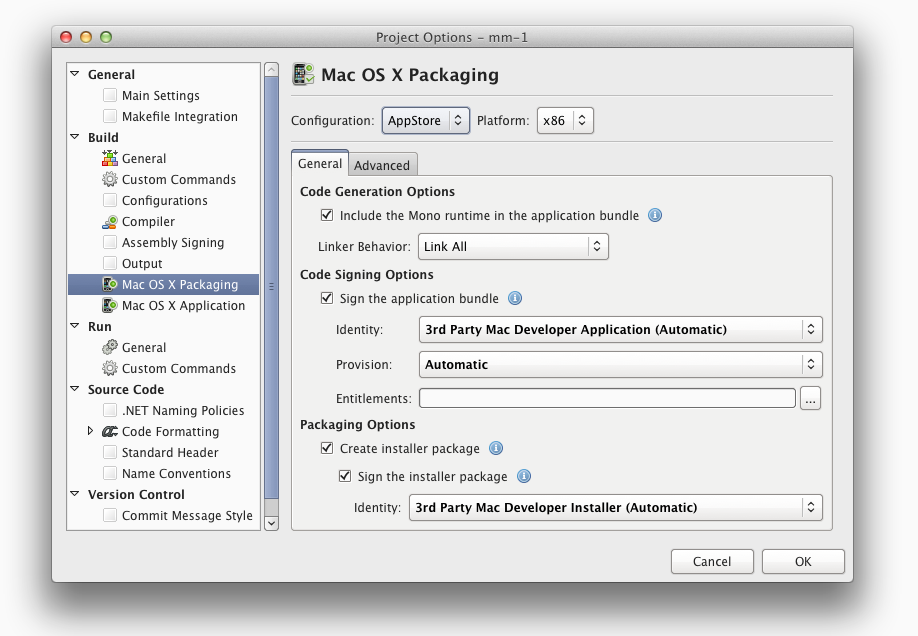
  • Created a packager that turns your programs into self-contained OSX Packages with no external dependencies on Mono and can be deployed to the Apple App Store.
  • Created a linker that lets you strip out any functionality your application might not need to reduce your executable size.
  • Created a great community of developers that love C#, .NET and MacOS. For some of us, this is a step closer to heaven.
  • Created a big pool of samples for developers to learn from, and for us to exercise the API and ensure that the resulting library was a delight to use.
  • Created various tutorials on how to build applications with C# on the Mac.
  • Built an online documentation mash-up between our API and Apple's web documentation

Some statistics about the MonoMac binding:

  • 1,155 C# classes and 31 C# structures
  • 376 enumerations
  • 123 C# delegate data types
  • 16,556 methods, properties and events exposed

In addition to that, MonoMac bundles a modified version of the amazing OpenTK 1.0. We took the liberty (and by "we" I mean, the amazing Kenneth Pouncey) of fine-tuning the implementation for MonoMac use.

Getting MonoMac 1.0

If you already have MonoDevelop installed, just update your MonoMac Add-In. If you do not have MonoDevelop installed, follow our friendly instructions.

Contributors

MonoMac would not have been possible without the help of our great contributors, this is the team:

Main bindings:

  • Geoff Norton
  • Miguel de Icaza
  • Jonathan Pryor
  • Michael Hutchinson

Contributors:

  • Alexander Shulgin (WebKit DOM)
  • James Clancey (AppKit contributions)
  • Kenneth Pouncey (API, samples)
  • Maxi Combina (WebKit events, sample)
  • Regan Sarwas (PdfKit, ImageKit, NSColor, NSGradient, NSBezierPath, samples)
  • Ashok Gelal (CoreWlan)

Next Steps

What is great about doing a 1.0 release is that you know that there will be a 1.1 release, and a 1.2 release and a 2.0 release.

This is our way of saying "thank you for waiting" and giving our users a chance to start building applications, knowing that we have battle tested MonoMac and it is being used in our own products now [1].

We obviously will continue improving the API, adding more frameworks as time goes by, but we will also be working with other communities to expand MonoDevelop's language support, create more templates for languages like F#, IronRuby, IronPython and UnityScript.

Although we have a great start for documentation, we hope that contributors will take advantage of a new web-based wiki and collaboration tool that we are building to improve the docs and help us make MonoMac's documentation the best.

Hopefully, we will also get more samples contributed to MonoMac and we will see a new wave of tutorials and we will see fascinating discussions on how to build better software while enjoying every second of it.

[1] (MonoDevelop 2.6 will be using MonoMac for its native dialog boxes).

Posted on 17 Mar 2011 by Miguel de Icaza

MonoMac hotfix

Hylke Bons warned us of a limitation in our MonoMac packager so we are issuing a new MonoMac refresh that fixes various bugs:

  • Supports using Mono.Posix.dll in packaged bundles.
  • Supports using System.Drawing in packaged bundles.
  • Fixes various BCL P/Invokes problems (we forgot to ship the config file :-)
  • No longer requires Mono 2.8.1, works with any mono 2.8+

Follow the standard instructions to update your MonoMac add-in.

Hylke then got his native Mac client for SparkleShare (a DropBox-like system, but backed up by Git or any Git hosting sit) working as a bundle on OSX.

Posted on 06 Feb 2011 by Miguel de Icaza

MonoMac Refresh!

We just pushed a new refresh of MonoMac. This release contains:

  • New complete bindings: QuartzComposer, CoreWlan, PdfKit, ImageKit and Addresbook.
  • AppKit: new classes: NSBezierPath, NSGradient; convenience methods for NSColor, NSTableView, NSMenuItem, and NSPasteboard.
  • CoreImage's CIVector and support in AppKit for CoreImage.
  • WebKit indexers and support for reporting user decisions.

In our shared core with MOnoTouch, these are the changes:

  • CoreGraphics: Support for transparency layers.
  • Foundation: API helpers to make NSIndexSet more pleasant to use; new methods to control the NSRunLoop; NSUrlProtocol and NSUrlProtocolClient classes.
  • ObjCRuntime: Exposed the shared library loading code and convenience methods to pull constants from shared libraries.
  • KeyChain: expose new methods for common operations (managing internet passwords)
  • CoreAnimation: bound a few missing constants.
  • OpenGL: new CAOpenGLLayer type.

Many new samples are now included with MonoTouch. Kenneth has contributed various ported samples from the CoreAnimation book exercising the API, fixing it, and providing many samples for developers to get started. We now ship 32 samples covering a wide range of Mac APIs.

Contributors to this release include: Geoff Norton, Alexander Shulgin, James Clancey, Maxi Combina, Regan Sarwas, Michael Hutchinson, Ashok Gelal and Miguel de Icaza.

Additionally, the first MonoMac app has hit the Mac AppStore!

Some small stats: MonoMac 0.4 was installed by 263 developers, MonoMac 0.5 by 369 developers, and MonoMac 0.6 (our last release) by 588.

Posted on 02 Feb 2011 by Miguel de Icaza

First MonoMac App Hits the Apple AppStore

Yvan Janssens (@yvanjanssens) just wrote to let me know that iProxify Plush, his MonoMac-powered application, has been accepted for distribution on Apple's Mac AppStore.

This is an important development in the history of MonoMac, as someone has actually published a full executable based on the tools that we built (we have not tested this ourselves as we did not really have anything to publish).

It also means that we got all the details right to let people use C# to publish to the Mac AppStore: we do not take external dependencies, we bundle all of the Mono dependencies with the app and we follow all the relevant Apple rules for distribution.

Congratulations to Yvan for his published app!

Posted on 31 Jan 2011 by Miguel de Icaza
This is a personal web page. Things said here do not represent the position of my employer.